
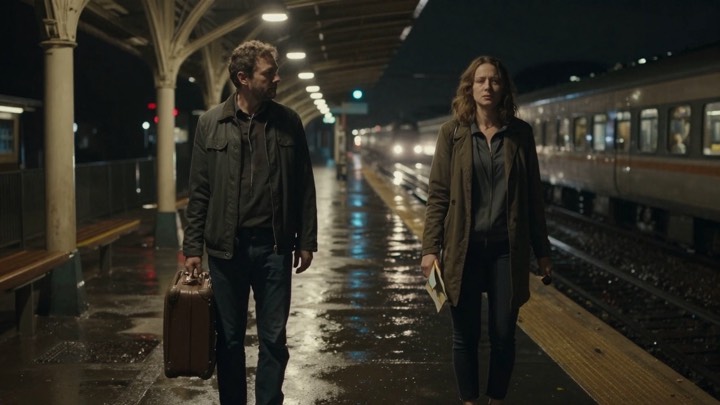
Pruna AI · P Video · image to video
P Video · Image to Video
Render P Video through the same job workflow as Seedance — from $0.027 per render.
What it renders
Pruna AI P-Video Image to Video is a fast AI video generation model that transforms input images into high-quality videos. Hand over the model id and your shot settings, keep the job id, and collect the finished clip once the job lands. Pricing is per completed render from $0.027 and is locked in before the first frame is queued.
Motion-first defaults
P Video · Image to Video opens on workable shot framing before you tune anything.
Async by design
Renders run as background jobs; poll at your own pace instead of holding a connection open.
Clip-ready output
Results arrive as a downloadable asset from private storage with a short-lived link.
Image to Video shots
Image to Video stays available for P Video · Image to Video without leaving the video workspace.
P Video shots
P Video stays available for P Video · Image to Video without leaving the video workspace.
Video shots
Video stays available for P Video · Image to Video without leaving the video workspace.
From the shot board
Wire the render pipeline
Grab a key
Sign in, create a server-side key and add a little balance.
Confirm the endpoint
GET /v1/models lists pruna-ai/p-video/image-to-video with its shot limits and current rate.
Queue the render
POST /v1/jobs with the model id, your shot settings and a unique Idempotency-Key.
Collect the clip
Poll GET /v1/jobs/{id} until it lands, then fetch GET /v1/jobs/{id}/content.
Queue the render
# Seedance API — queue one render
curl https://seedanceapi.pro/v1/jobs \
  -H "Authorization: Bearer $SEEDANCE_API_KEY" \
  -H "Idempotency-Key: $REQUEST_ID" \
  -H "Content-Type: application/json" \
  -d '{"model":"pruna-ai/p-video/image-to-video","duration":5,"prompt":"A slow dolly across a rain-lit neon street, shallow depth of field.","resolution":"720p","save_audio":true,"seed":1}'
Shot settings
- durationoptional
- integer · default 5
- imageneeded
- string
- promptoptional
- string
- resolutionoptional
- string · 720p / 1080p
- save_audiooptional
- boolean · default true
- seedoptional
- integer
Try a render from here
This queues a real job on this site's /v1/jobs using your signed-in balance, or an API key if you are not signed in. A pasted key lives only in this tab; the render is billed at the quoted USD rate.
Or sign in to use your account balance.
Before you wire it in
How do I start a P Video · Image to Video render?
Authenticate, check the live model list for pruna-ai/p-video/image-to-video, then POST the model id and shot settings to /v1/jobs with an Idempotency-Key. Poll the job id until it settles, then download the clip.
What can I control on P Video · Image to Video?
P Video · Image to Video accepts duration, image, prompt, resolution, save_audio, seed. Unknown keys are rejected before the render is queued, so a typo never burns a job.
What does a P Video · Image to Video render cost?
Pricing is per render and starts at $0.027. The exact figure for your settings is returned by the model list and reserved before the job is accepted.
Is the same Seedance key valid for P Video · Image to Video?
Yes — P Video · Image to Video runs on the same account, key and wallet as Seedance. Each endpoint is enabled individually, so verify the route before you depend on it.
Why does my P Video · Image to Video job show as queued?
Video rendering is asynchronous: queued and running are normal. Keep polling until the job succeeds, fails or asks for review, and never resubmit the same Idempotency-Key expecting a second render.